


Explore Daniel's Neighborhood
3.4263.00 Reviews
App Specs
- Version
- 4.7.0
- Updated On
- License
- $2.99
- Downloads
- 100,000+
- Developer
- PBS KIDS
- Categories
- Educational
- Platform
- Android, iOS
Screenshots







 Analysis by AppCompare
I’d treat Explore Daniel's Neighborhood as a short, shared play activity rather than an app to hand over and forget about. Its appeal is the familiar world of Daniel Tiger, but what matters day to day is whether a young child can settle into the activities without needing an adult to steer every tap. In my view, it works best when a parent or caregiver is nearby to help turn what happens on screen into a conversation or a small real-world routine.
Before a child starts exploring
This is a paid educational game from PBS KIDS, priced at $2.99, and it is rated Everyone. That makes it a different proposition from the many free children’s games families may already have installed: the decision is less about trying another no-cost distraction and more about whether Daniel’s familiar characters and pretend-play setting fit your child. The game has a 3.4 average from around 1.6 thousand ratings, with roughly 264 written reviews, so I would read that reception as mixed rather than assume it will suit every family.
One practical check is device compatibility. The current version is 4.6.15, and it requires Android 5.1 or later. If it will not install or open, I’d first check the device’s operating-system version and available storage, then close and reopen the store or device before trying again. Those basic checks are more useful than assuming the game itself is broken; they also help you avoid repeatedly tapping an install button when the device simply does not meet the requirement.
Where the play can feel less smooth
Young children often explore by tapping quickly, moving between places, or handing a device back and forth. Even with an interface intended for small users, that style of play can make it harder for a child to notice what each activity is asking them to do. I’d start together, point out one place at a time, and let your child lead once they understand how to interact. That small bit of guidance can make the neighborhood feel inviting instead of like a screen full of choices.
There is also a difference between pretend play and a structured lesson. The activities are built around familiar everyday settings, but I wouldn’t expect a child to follow a formal sequence or make measurable progress through a curriculum. If your child wants clear instructions, a set path, or a specific skill practice, a dedicated learning app may be a better fit. This game’s strength is lighter exploration, where the adult can supply context when a moment invites it.
A simple way to use it at home
For a realistic everyday use, I’d save it for a short stretch before dinner or while a caregiver is preparing for the next part of the day. Sit with your child, choose one location, and ask what Daniel is doing or what might happen next. If the activity brings up brushing teeth, getting dressed, sharing, or taking turns, connect it to something your child will do later. That makes the screen time feel purposeful without turning play into a test.
Another useful approach is to let a child repeat an activity they enjoy rather than trying to visit every place in one sitting. Repetition can help younger players become comfortable with the controls and gives them room to invent their own pretend-play story. I would not rush them through the neighborhood just to see everything; the value here is in the child’s small choices and the conversation around them, not in covering the whole map.
Worth Reading Before You Choose

EA SPORTS FC Mobile 26 Is a Bigger Football Game, but It Takes Time

Flipboard Shows What News Apps Must Do Beyond the Feed

Switching to Android Auto Means Rethinking Your Driving Routine

Google Calendar Makes a Crowded Week Easier to Manage

Ludo King Makes the Most of the Minutes Between Plans

Baby Panda World Brings Quick Play to Modern Phones, but Its Game Library Feels Busy
Who is likely to enjoy it
I’d recommend considering it for preschool-age children who already like Daniel Tiger and enjoy pretend play, especially if a parent wants an easy opening for talking about routines and feelings. It can also be handy for a caregiver looking for a familiar, calm activity to share with a child rather than a competitive game. On the other hand, older children who want more challenge, a clear learning goal, or a more demanding game loop may outgrow it quickly. Families who do not know or enjoy the show’s characters may get less out of the setting than its intended audience.
Compared with a typical early-learning app focused on tracing letters, number drills, or completing lessons, this one leans more on recognizable characters and imaginative settings. That makes it easier to use as a conversation starter, but less suitable if you want a specific academic skill to practise. Compared with a general video, it invites the child to make choices and interact, though it still does not replace shared reading, hands-on toys, or outdoor play. I see it as one occasional option in a broader mix, not a substitute for those activities.
Getting to Know Daniel and His Friends
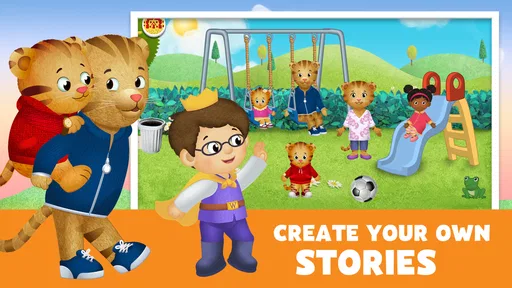
Right off the bat, Explore Daniel's Neighborhood welcomes you with vibrant colors and catchy tunes that are bound to hook both you and your kids. The app is designed to mimic the TV show's friendly and educational vibe, focusing on everyday activities in Daniel Tiger’s world.
Once inside, you’ll find yourself in a bustling neighborhood where your child can interact with various characters and environments. The app uses a simple tap-and-play interface, which is perfect for tiny fingers. Each interaction is met with enthusiastic responses from Daniel and his friends, making the whole experience feel like an interactive episode of the show.
Educational Play
This app is not just about fun, though. It cleverly incorporates educational elements into every corner of the neighborhood. For instance, when your child visits the bakery, they might learn about counting and sharing by helping to make a batch of cookies. Over at the music shop, they could discover different instruments and sounds.
What I found particularly impressive is how the app subtly teaches kids about emotions and social skills. Through various mini-games and activities, children learn the importance of empathy, sharing, and kindness—core themes from the TV show. It's like a preschool class wrapped up in a digital package.
Exploring the Features
So, what can your kid actually do in Explore Daniel's Neighborhood? Well, the app features several locations from the show, like Daniel's house, the school, bakery, and more. Each area is filled with interactive surprises and mini-games that encourage curiosity and exploration.
- Daniel's House: Here, kids can help Daniel with his morning routine, like brushing his teeth and getting dressed. It’s a great way to teach them about daily habits.
- The School: This section introduces them to various classroom activities, promoting learning and cooperation.
- The Bakery & Music Shop: These spots are perfect for creative play, allowing children to bake virtual goodies or play with musical instruments.
Each location is packed with educational nuggets and playful interactions. Plus, the app frequently updates with seasonal content, keeping things fresh and exciting.
Navigation and Usability
One of the things I appreciate about this app is its usability. The developers have clearly designed it with young users in mind. The intuitive layout ensures that kids can easily navigate through different parts of the neighborhood without getting lost or frustrated. The graphics are crisp, and the animations are delightfully smooth, which keeps the experience engaging and enjoyable.
Parental Involvement
Now, I know that as a parent, you might be wondering how you can be involved in your child’s digital adventures. The app includes a parent section that offers tips on how to extend the learning beyond the screen. It also provides insights into what your child is learning, helping you reinforce these lessons in real life.
Furthermore, the app doesn’t bombard you with ads, which is a huge plus in my book. It allows for an uninterrupted playtime, letting your child focus on exploring and learning without distractions.
Final Thoughts
All in all, Explore Daniel's Neighborhood is a delightful app that brings the magic of "Daniel Tiger’s Neighborhood" directly to your fingertips. It's a fantastic tool for preschoolers, combining fun and education in a seamless way. The app’s engaging content, educational value, and user-friendly design make it a worthwhile addition to any parent’s arsenal of kid-friendly apps.
If you’re looking to provide your child with a safe, educational, and entertaining digital experience, I’d say give Explore Daniel's Neighborhood a whirl. It’s not just another app—it’s a delightful journey through a neighborhood where learning and fun go hand in hand.
When a device issue may be the culprit
If a child reports that a scene feels stuck, I would first leave the activity and return to it rather than repeatedly tapping the same spot. If that does not help, close the game fully and reopen it; if the problem continues, restart the device and check for an available app update. These are sensible first steps for many mobile games and do not assume a particular cause. I’d also make sure the device is not low on storage, since that can interfere with installing or updating apps.
For a child who is frustrated by navigation, I’d pause and demonstrate one interaction slowly, then let them try. A young player may tap an object that looks decorative or expect every character to respond in the same way. Giving them a moment to explore one location before moving elsewhere is a low-pressure way to see whether they need help with the controls or simply want to play differently.
Choosing the right moment and expectations
The game is most useful when the adult can be present for a few minutes, especially if the child is new to touch-screen play. A caregiver can help interpret a social moment or turn a pretend task into a prompt for conversation. If you need a completely independent activity while you are occupied, I would try it with your child first rather than assume that every preschooler will manage the experience alone just because the interface is simple.
I also would not choose it as the answer to every screen-time need. A child looking for action, competition, or a long progression may find the gentle pace too limited; a child who wants an exact lesson in letters or counting may be better served by a focused educational title. For families already comfortable with Daniel Tiger, though, its everyday settings can make it easier to connect play with routines the child recognizes, which is a more specific strength than broad drills or passive viewing.
My practical verdict
PBS KIDS has made a game that is easiest to appreciate as a shared, character-led activity: let the child pick a place, stay with one bit of play, and use any familiar routine or feeling as a natural talking point. I would consider the $2.99 cost against how much your child enjoys the show and whether you want interactive pretend play rather than a lesson-based app. With an average rating of 3.4 and more than 100 thousand installs, it has found an audience, but those figures do not guarantee a match for an individual child.
My recommendation is selective rather than universal. For a young Daniel Tiger fan, it can be a pleasant way to turn a few spare minutes into imaginative play and a small parent-child conversation. If your priority is independent play, advanced challenges, or a tightly structured curriculum, I’d look elsewhere. Check the device requirement before installing, start together, and judge it by whether your child enjoys returning to the neighborhood—not by how many activities they get through in one sitting.
Pros
- Interactive and educational for young children.
- Colorful
- engaging graphics enhance learning.
- Easy-to-navigate interface for kids.
- Incorporates familiar characters from the show.
- Promotes social-emotional learning effectively.
Cons
- Limited content can lead to quick boredom.
- Requires internet for some features.
- In-app purchases may be confusing for kids.
- Occasional bugs disrupt gameplay.
- Audio can be repetitive and annoying.
FAQs for Explore Daniel's Neighborhood
What age group is Explore Daniel's Neighborhood suitable for?
Explore Daniel's Neighborhood is designed for preschoolers, typically aged 2 to 5 years. The app features engaging activities that align with the developmental needs of young children, focusing on social-emotional skills, problem-solving, and creativity. Parents can rest assured that the content is age-appropriate and educational.
Is an internet connection required to use Explore Daniel's Neighborhood?
Explore Daniel's Neighborhood does not require a constant internet connection. Once downloaded, the app can be used offline, making it perfect for travel or situations where internet access may be unreliable. However, users will need internet access to download the app and any updates.
Are there any in-app purchases or ads in Explore Daniel's Neighborhood?
The app is designed to be a safe environment for children, free from advertisements and in-app purchases. This ensures a seamless and distraction-free experience, allowing children to focus on learning and playing without any interruptions or additional costs.
What educational benefits does Explore Daniel's Neighborhood offer?
Explore Daniel's Neighborhood supports early childhood development by teaching social-emotional skills, empathy, and cooperation. Through engaging activities and interactive play, children learn to recognize and express emotions, solve problems, and interact positively with others, all within the familiar setting of Daniel Tiger's Neighborhood.
How can parents track their child's progress in the app?
The app includes features that allow parents to monitor their child's progress and engagement. Although it does not provide detailed analytics, parents can observe the skills being practiced and the activities completed. This feature helps parents understand how their child is interacting with the app and developing new skills.


